
Sticky Website – How to Keep People on Your Website Longer

Want a sticky website?
In this quick video I’m showing you how to leverage your existing content to provide even more value to your web site visitors. This will also help you keep people on your site longer, lower your bounce rate, and improve your WordPress SEO.

In two words, it will turn your site into a sticky website.

What’s a sticky website?

A sticky website is a site that keeps people engaged and on your site for a long time. It’s “sticky” because people don’t want to leave, or at least they do more than hit your page and click the back button.

The sticky website plugin

Could this simple WordPress plugin also do your laundry and make dinner? No, but might make your web site work harder so you can take a break and eat some good food. That’s where the sticky website thing comes in handy.

Sticky Website – WordPress Plugin to Keep People on Your Site Longer
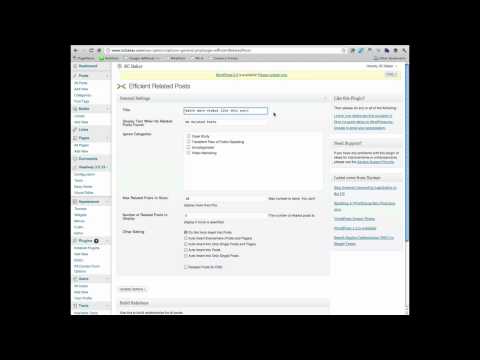
It’s that easy!

Enjoy your new sticky website!

I’m keeping this one short and sweet, and if you want more you can sign up for your free Get Techy Now video training series.

Read related articles and soak up the knowledge!

Want more tech-made-simple marketing advice? Enter your email below and get techy with me every Wednesday right in your inbox.

Post comment as twitter logo facebook logo
Sort: Newest | Oldest
laurasimms 5 pts

Great video. But I'm having trouble with the plug-in. It says "no related posts" on every post. I know you're not a support forum, Nathalie :) , but just wondered if anyone else had this experience.

NathLussier 44 pts moderator

laurasimms Hey Laura, do you have any "tags" set for your existing posts? The plugin uses tags to see what might be related, so if you have two posts with the same tag it helps the plugin know they're related. :) You can always go back to older posts and add new tags too!

shannatrenholm 5 pts

Hey Nathalie!

I love your videos :) Efficient Related Posts plug-in says it's *not tested with my version of WP* I did install the recent WP update. I am always concerned that I am going to screw up my site--should I wait until they release a new version?

Thanks!

NathLussier 44 pts moderator

shannatrenholm Hey Shanna, sometimes a plugin isn't tested but it still works on the new version. If it gives you any grief or your site gets slow just de-activate it. Otherwise it's probably fine. :)

GinaRafkind 8 pts

This is awesome...thanks Nathalie!

NathLussier 44 pts moderator

GinaRafkind Yay so glad this was helpful Gina! :)

JenniferMinarJaynes 5 pts

Thanks Nathalie! I'll share on my blog.

Happy holidays!

Best,

Jennifer

NathLussier 44 pts moderator

JenniferMinarJaynes Thank you for sharing it Jennifer, and happy holidays!

cate_yogahealer 5 pts

thanks for being super clear and concise.Just installed.

NathLussier 44 pts moderator

cate_yogahealer Great stuff Cate!

WendySailor 5 pts

I always enjoy your videos. They are brief and to the point. Doesn't give me too much time to run amok, lol!

NathLussier 44 pts moderator

WendySailor Yay Wendy! :) Happy holidays!

Jean 5 pts

great post, Nath! Installed, love it

:)

ldmccormck 5 pts

Just getting started on my blogging journey. Your tips and ideas are wonderful and easy. Your presentation is fun and just the right length.

NathLussier 44 pts moderator

ldmccormck Yay that makes me very happy. :)

NathLussier 44 pts moderator

NatalieCurrie Thanks Natalie! Happy holidays my dear. :)